
Pocket Ninja Journal
Word Games for Seniors: What to Check Before You Install
· 7 min read
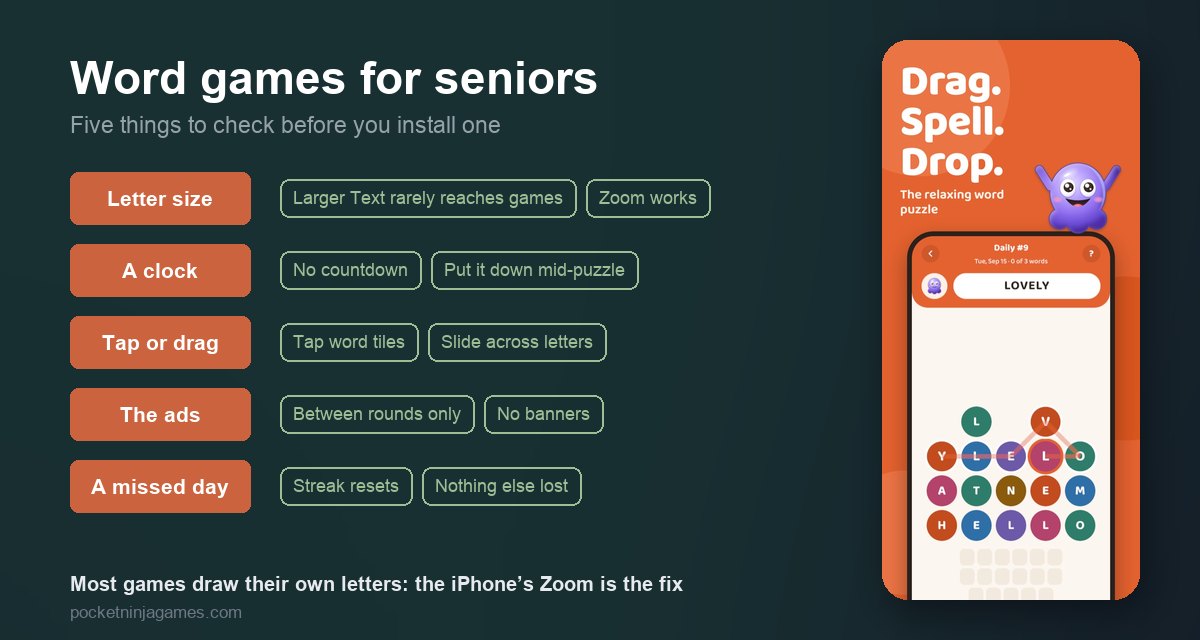
Short answer: start with a word search or a grouping puzzle — both are familiar from paper, and neither asks for speed or typing. Then check five things before you install: how big the letters are, whether a clock runs, whether you tap or drag, how the ads behave, and what a missed day costs. The iPhone can fix some of these, but not the ones most people expect.
Which kind of word game is easiest to start with?
Word games are not one thing. Each kind asks for a different skill and puts a different kind of pressure on you, and that matters more than any feature list when the player has not touched a phone game in years.
| Type | What it asks of you | Pressure | Start here? |
|---|---|---|---|
| Word search | Spot the listed words in a grid of letters. Recognising, not remembering. | Usually none | Yes. The rules are the ones from the paper puzzle books. |
| Grouping puzzle | Sort sixteen words into four groups of four. Knowing what words mean, not how to spell them. | A cap on mistakes, usually four | Yes, if a few wrong guesses will not spoil the fun. |
| Crossword | Fill in answers from clues. General knowledge and spelling. | Usually none | Yes, for anyone who already does the one in the paper. |
| Letter grid or anagram | Build as many words as you can from a jumble of letters. Spelling at speed. | Often a clock and a score | Later, or never, if a countdown is unwelcome. |
A word search is the gentlest door in: you only have to recognise a word when you see it, not produce it from memory, and nobody needs the rules explained. A grouping puzzle suits someone who enjoys a crossword clue more than a spelling test. The full family tree, with the names each type goes by, is in our guide to the types of word games.
Five things to check before you install
- Letter size. Look at the store screenshots on a phone, not a laptop. If the letters look small there, they will on the device — and most games have no text-size setting of their own. More on that below.
- A clock. A countdown in the screenshots, or the word “seconds” in the description. Some people enjoy the race; anyone who wants to put the phone down mid-puzzle to answer the door will not.
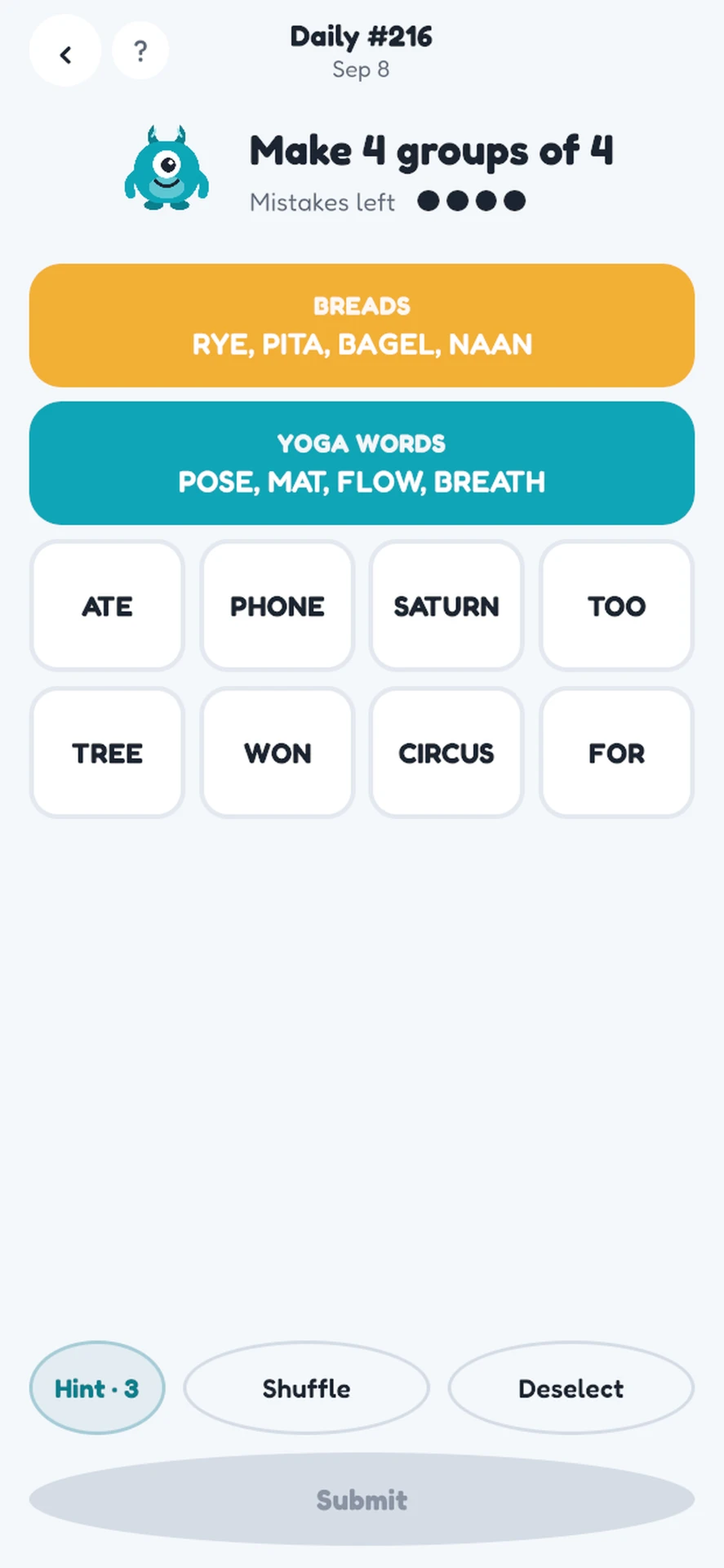
- Tap or drag. Grouping puzzles are played by tapping one word at a time. Word searches are usually played by sliding a finger along a line of letters. Stiff fingers find one or the other easier, and it is not the same one for everybody.
- The ads. A full-screen ad with a small close button is where new players most often get lost. Open the list of in-app purchases too: “extra lives” or “refill” means the game is built around running out.
- What a missed day costs. A streak counter is a reason to come back for some people and a small daily guilt for others. Find out whether the game keeps one, and whether anything else is lost when it breaks.
Text size: what the iPhone can fix, and what it cannot
The iPhone’s Larger Text setting (Settings → Accessibility → Display & Text Size) makes the letters bigger in apps that are built to follow it — Mail, Messages, many news apps. Most games draw their own letters and ignore it. Ours do too. So if you turn it up and the puzzle looks exactly the same, you have not done anything wrong.
What works in every app, games included, is Zoom: Settings → Accessibility → Zoom. Once it is on, double-tap the screen with three fingers to magnify, drag with three fingers to move around, and double-tap with three fingers again to go back. It takes a few minutes to get used to, and then it works on anything.
One more setting is worth a look. Reduce Motion (Settings → Accessibility → Motion) calms the sliding and bouncing in apps that follow it, which helps if animation makes the letters hard to track. Both of our games follow it, and each also has its own switch in its settings.
Hands: one long movement or several small taps
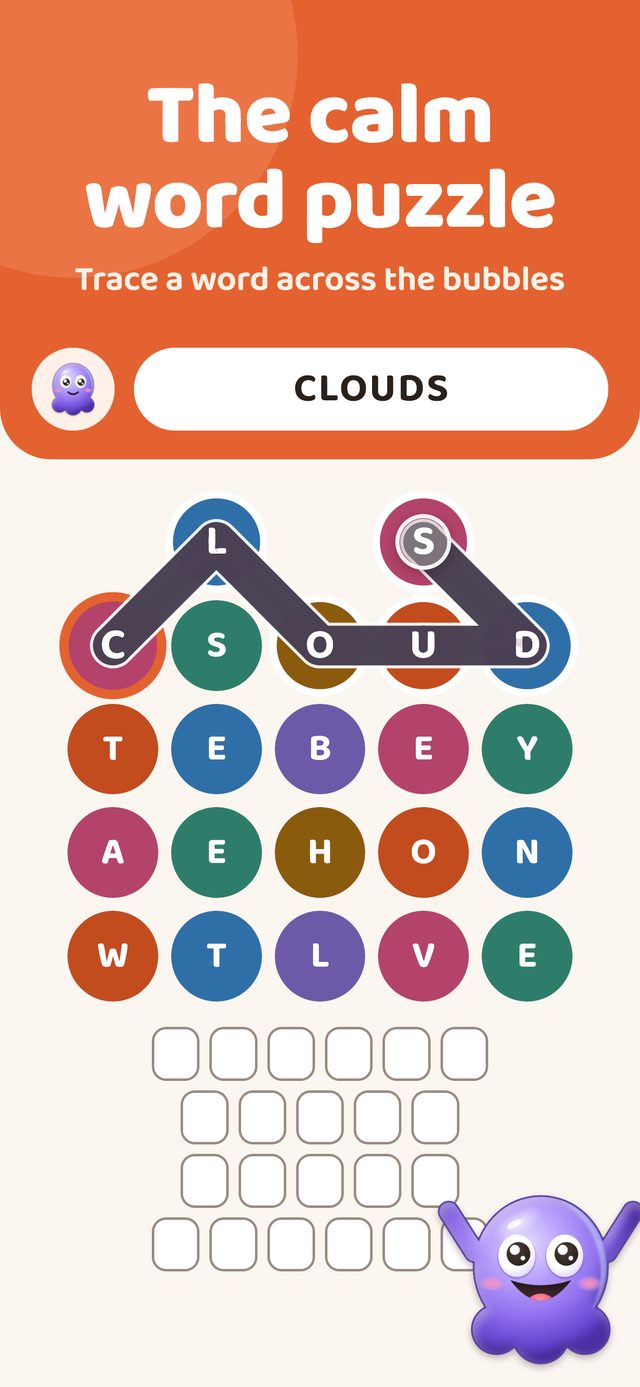
In a grouping puzzle you tap four words and then a button to submit them, and you can deselect a word before you do. In Inkwell you touch a letter, drag to its neighbours — diagonals too — and lift your finger to check the word. One smooth movement suits some hands better than four precise taps; for others it is the reverse. Let the player try a round of each before you decide for them.
Sound, music and vibration each have their own switch in both games, so a game can be played silently on a bus or with the sound up at home.
Setting it up on someone else’s phone
Free games pay for themselves with ads. Show the player where the close button is on the first full-screen ad, because it is often small and sometimes appears only after a few seconds. In both of our games a full-screen ad can appear only when you leave a results screen, never in the middle of a puzzle; there are none in the first eight rounds and no banners at all.
To prevent an accidental purchase, open Settings → Screen Time on their phone and block In-app Purchases. On current iOS it sits under Apps & Websites → App Store, where you choose Blocked; on older versions it is under Content & Privacy Restrictions, which you switch on first, and the choice is called Don’t Allow. Playing does not need an account, an email address or a password in either of our games, so there is nothing to sign up for and nothing to forget.
Streaks: a reason to come back, or a reason to feel bad
Both of our games count the days you play, and the count goes back to zero after a missed day. For many people that number is exactly why they open the game every morning. For others it becomes a small obligation, and the day it breaks — a hospital stay, a week with the grandchildren — it stops being fun.
If that sounds like the person you are choosing for, pick a game where nothing else is lost when the count resets — in ours no board is locked and no progress disappears — and say beforehand that the number does not matter. A daily reminder at a time they choose, which both games offer, keeps the habit without the guilt. We have written more about when a streak stops helping.
Do word games keep the mind sharp?
People who do word puzzles regularly tend to score better on memory and reasoning tests. What has not been shown is that the puzzles cause it — sharper minds may simply enjoy puzzles more — or that any game prevents memory loss or dementia. Be wary of an app that promises either.
The good reasons to play are the plain ones. It is enjoyable, it gives the morning coffee a small routine, and a puzzle the whole family played that day is something to talk about on the phone.
Where our two games fit, and where they fall short
We make two free word games for iPhone. Here is how they do on the checklist, including the rows we would rather were different:
| Check | Inkwell | Wordfly |
|---|---|---|
| A text-size setting | None — use the iPhone’s Zoom | None — use the iPhone’s Zoom |
| A clock | Never | Only in Letter Grid (90 seconds, with a pause button) |
| How you play | Drag a finger across letter bubbles | Tap words in Groups; drag in Letter Grid and Word Drop |
| Can a puzzle be lost? | No — every board can be finished | Groups ends after 4 mistakes |
| Ads | Full-screen, between rounds only, no banners | Full-screen, between rounds only, no banners |
| Streak | Yes, back to zero after a missed day | Yes, back to zero after a missed day |
| Works offline | Yes | Yes |
| Colours | One fixed scheme, no dark mode | One fixed scheme, no dark mode |
Inkwell is the one we would hand to someone who has not played a phone game in years. It is a word search, so the rules need no explaining. There is no clock, no score and no lives, every board can be finished, and when a word will not show itself there is a shuffle button and a hint that shows where the word starts — new players get 3 hints and earn more as they play. Behind the daily board there are 600 levels across 12 worlds, it works offline, and it comes in 9 language options.
Wordfly suits someone who already plays the grouping puzzle in the paper or online: its daily Groups puzzle has no clock and allows 4 mistakes, with 1 free hint a day. Its Letter Grid is a 90-second race, which is easy to leave alone. The side-by-side comparison goes further.
The honest gaps are the same in both: no text-size setting of their own, one colour scheme with no dark or high-contrast mode, and ads in the free version. If large letters inside the app matter more than anything else, test the screenshots against the player’s eyes before you install either.
Inkwell Word Puzzle
A calm word search: one board a day and 600 levels behind it. No clock, no score, no lives. Free to download with ads, no account, plays offline.

Frequently asked
What is the easiest word game for a senior to start with?
A word search. The rules are the ones from paper puzzle books, there is no spelling to get right and no clock in most of them, so the first game can start without any explanation. A grouping puzzle — sixteen words, four groups of four — is a good second step for someone who likes to think about meanings.
Can I make the letters bigger in a word game on iPhone?
Only if the game follows the iPhone's Larger Text setting, and most games do not, because they draw their own letters. What works in every app is Zoom: turn it on under Settings, Accessibility, Zoom, then double-tap the screen with three fingers to magnify and drag with three fingers to move around.
Are there word games for seniors without ads?
Free word games almost always show ads; a paid version or a subscription removes them. In our two games the free version shows a full-screen ad only between rounds, never during a puzzle, and has no banners, and Plus removes the ads. To stop accidental purchases on someone else's iPhone, block In-app Purchases in Settings, Screen Time: under Apps & Websites, App Store on current iOS, or under Content & Privacy Restrictions on older versions.
Do word games help prevent dementia?
No game has been shown to prevent dementia or memory loss. People who do word puzzles often tend to score better on memory and reasoning tests, but that does not show the puzzles caused it. Be wary of any app that promises either. Play because it is enjoyable and makes a pleasant daily routine.
Is a daily streak too much pressure for someone over 70?
It depends on the person. For some the day counter is the reason to open the game each morning; for others it becomes a small obligation that hurts when a hospital stay or a trip breaks it. Choose a game where nothing else is lost when the count resets, and say in advance that the number does not matter.
More reading: word games with no timer · how a word search works · word games that work offline.